Automated Procurement & Vendor Approval System
End-to-end procurement automation system integrating approvals, vendor onboarding, compliance checks, and ERP synchronization.
Title
Automated Procurement & Vendor Approval System
Sub Title
End-to-end procurement automation system integrating approvals, vendor onboarding, compliance checks, and ERP synchronization
Description:
This project involved designing and implementing a highly automated procurement and vendor approval system for a mid-to-large scale manufacturing organization. The objective was to eliminate manual procurement processes, reduce approval delays, and ensure compliance with internal policies.
The system begins with employees submitting purchase requests through a structured form integrated with SharePoint. Each request includes item details, budget allocation, urgency level, and vendor preference.
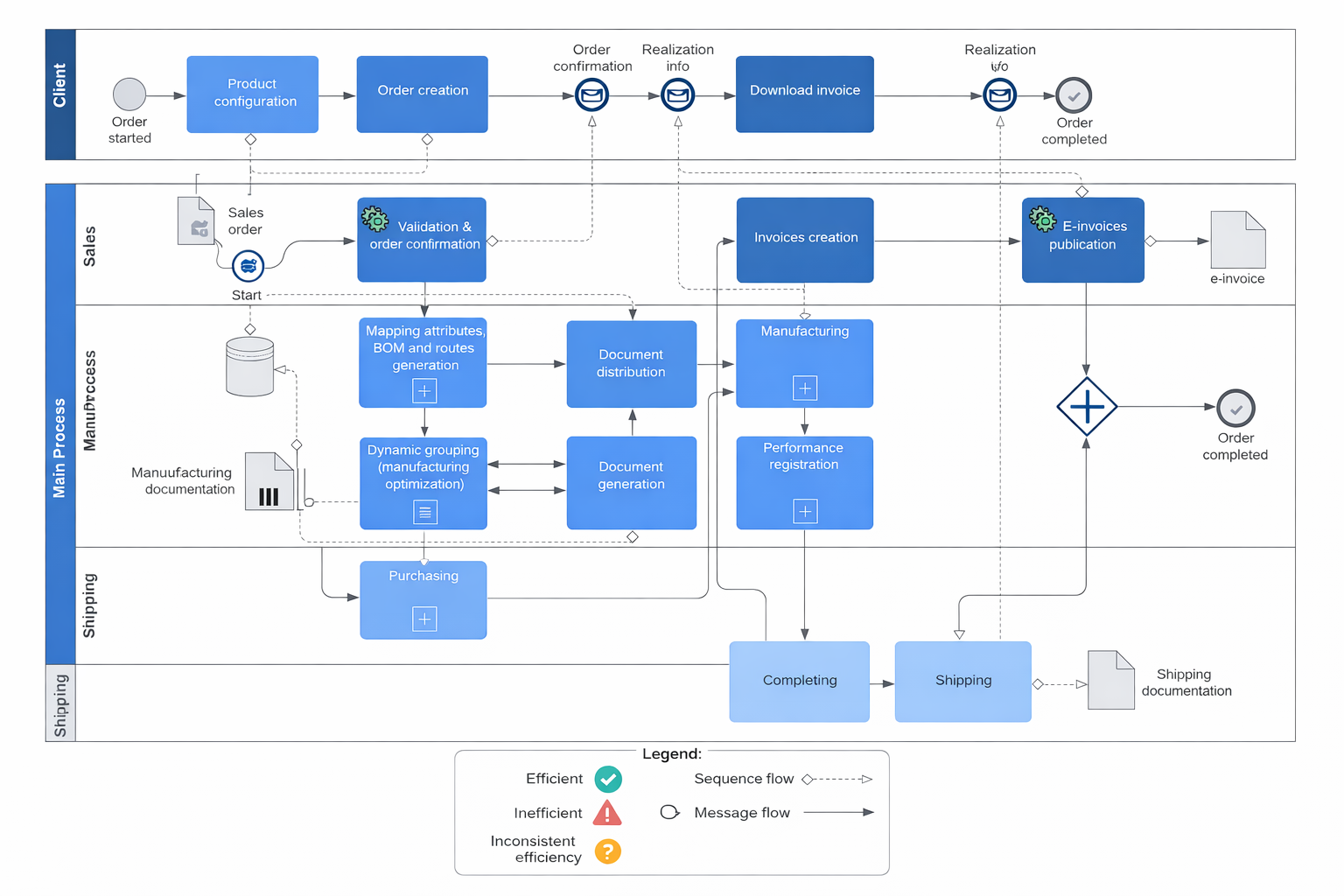
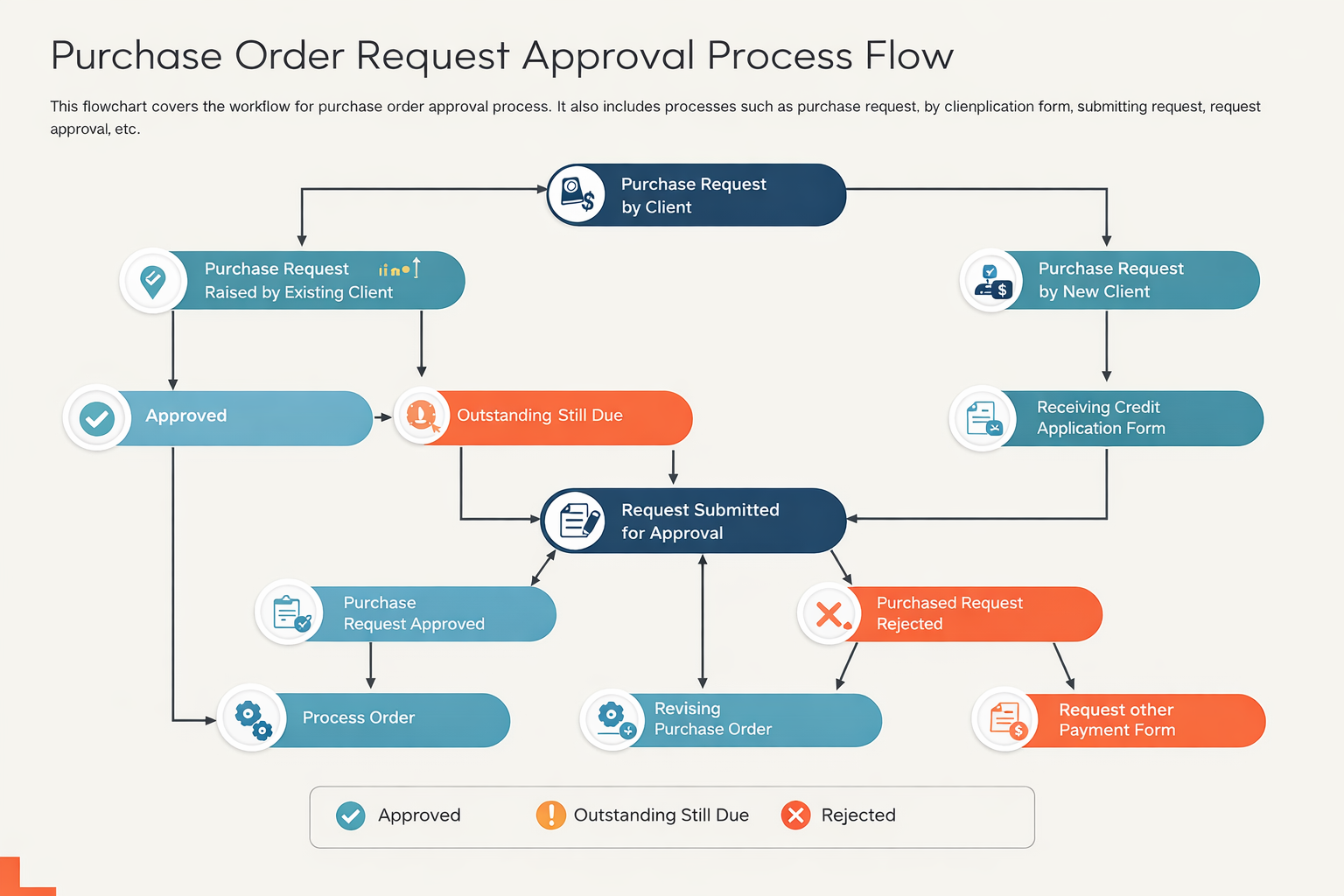
Using Power Automate, a dynamic multi-level approval workflow was built. Requests are routed based on department, budget thresholds, and item category. For example, high-value requests automatically trigger additional approvals from finance and senior management.
A vendor onboarding workflow was also integrated, where new vendors must submit compliance documents such as GST details, certifications, and bank information. These documents are validated and approved through automated flows.
The system integrates with an external ERP system via API to sync approved purchase orders, ensuring seamless data flow between platforms.
Automated notifications are sent via email and Microsoft Teams at each stage, while escalation rules ensure that delayed approvals are flagged and reassigned.
The solution includes audit tracking, approval history logs, and compliance checks, making it suitable for regulated industries.
Overall, the system significantly reduced procurement cycle time, improved transparency, and ensured strict compliance with organizational policies.
Process
🧠 1. Business Analysis
- Identified inefficiencies in manual procurement
- Defined approval matrix (based on cost & department)
- Compliance requirements gathered
🧱 2. System Architecture
- SharePoint → Request & vendor database
- Power Automate → Workflow engine
- ERP API → Purchase order sync
- Teams/Email → Notifications
🔄 3. Workflow Design (Core Logic)
- Purchase request trigger
- Conditional routing:
- < ₹50K → Manager approval
- ₹50K–₹2L → Manager + Finance
- ₹2L → Director approval
- Vendor validation flow
- Purchase order creation
🛠️ 4. Power Automate Development
- Multi-branch conditional flows
- Parallel approval actions
- API integration with ERP
- JSON parsing for external data
🔌 5. Integrations
- SharePoint lists (requests & vendors)
- Outlook (email alerts)
- Microsoft Teams (real-time alerts)
- External ERP system (REST API)
⚡ 6. Advanced Features
- SLA-based escalation (auto-reminders)
- Duplicate request detection
- Auto vendor risk scoring
- Audit log generation
🧪 7. Testing
- Multi-scenario approval testing
- API response validation
- Failure handling (retry logic)
🚀 8. Deployment
- Flow deployment across departments
- Permission configuration
- End-user training
- Monitoring & optimization